
Simple Website Analytics With Umami
Umami is a simple way to monitor website traffic without using a heavy analytics setup. This note covers how to add it to a Next.js site, track events with data attributes, understand common metrics, and know when Umami is enough or when you may need a bigger tool.
Share
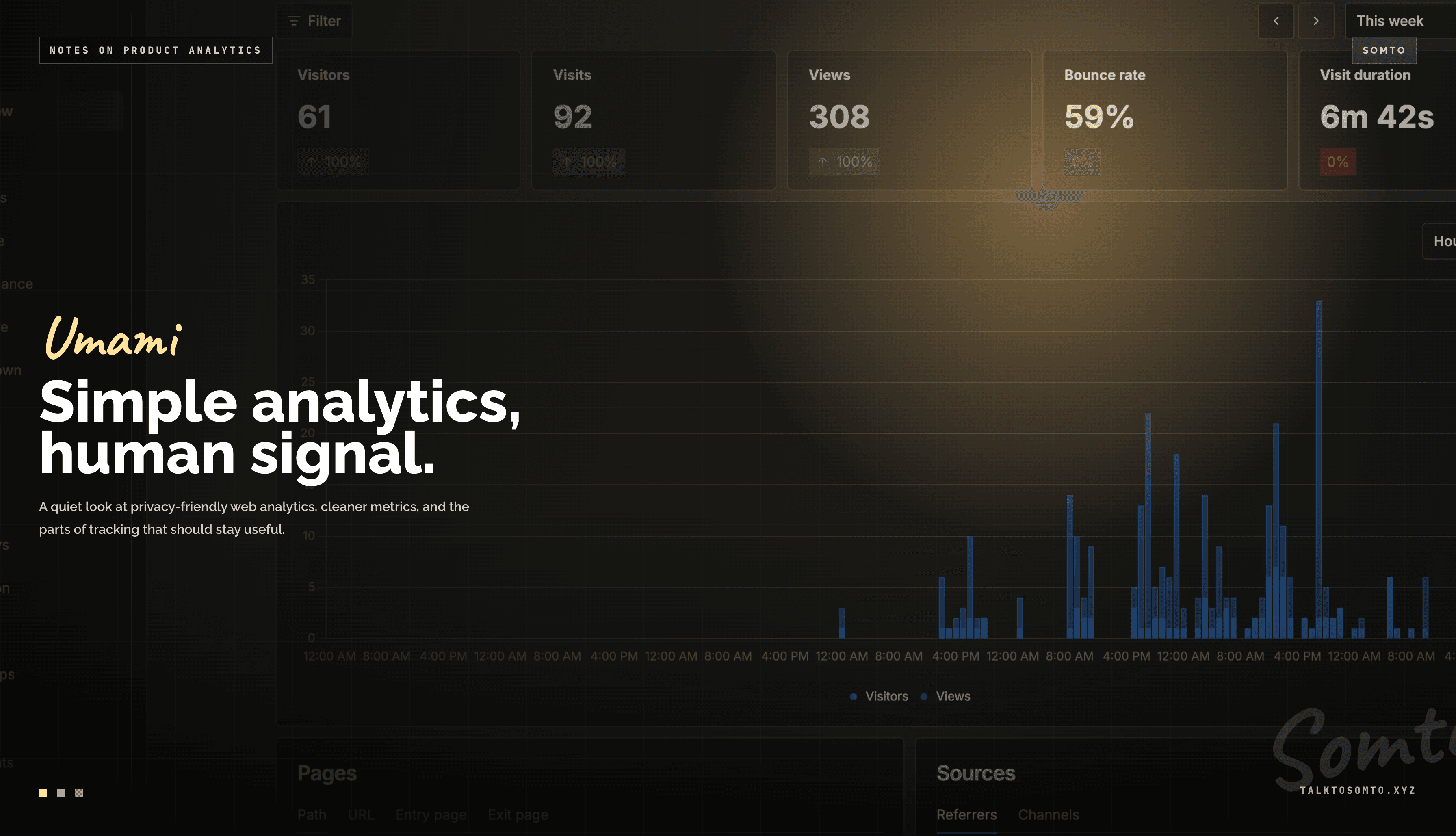
Not every website needs a heavy analytics setup.
Sometimes, you just want to know the basics:
How many people visited?
Which pages did they open?
Where did they come from?
What buttons did they click?
Are people staying or leaving quickly?
That is where Umami is useful.
Umami is a simple analytics tool for tracking website traffic and user actions. It gives you the important numbers without making the dashboard feel like you accidentally opened a finance report.
Why use Umami?
The best thing about Umami is how simple it is.
You add one script to your site, and it starts tracking page views. From the dashboard, you can see visitors, views, referrers, devices, countries, browsers, pages, and custom events.
For a personal website, blog, portfolio, documentation site, landing page, or small product, that is usually enough.
You do not always need something as large as Google Analytics.
Google Analytics is powerful, but it can also feel too much for smaller sites. There are many reports, menus, dashboards, filters, and terms. It is useful when you need deep marketing data, ads tracking, conversion funnels, and advanced reports.
But if you only want clean and simple analytics, Umami is easier to work with.
Setting up Umami in Next.js
After creating your site in Umami, you get a tracking script.
It usually looks like this:
<script
  defer
  src="https://cloud.umami.is/script.js"
  data-website-id="your-website-id"
></script>
In a Next.js App Router project, you can add it in your root layout.
// app/layout.tsx
import Script from "next/script";

export default function RootLayout({
  children,
}: {
  children: React.ReactNode;
}) {
  return (
    <html lang="en">
      <body>
        {children}

        <Script
          defer
          src="https://cloud.umami.is/script.js"
          data-website-id={process.env.NEXT_PUBLIC_UMAMI_WEBSITE_ID}
          strategy="afterInteractive"
        />
      </body>
    </html>
  );
}
Then add your website ID to your environment variables:
NEXT_PUBLIC_UMAMI_WEBSITE_ID=your-website-idOnce deployed, Umami starts collecting page views.
Tracking button clicks with attributes
Umami also lets you track custom events.
The easiest way is with HTML attributes.
For example, if you want to track a contact button click:
<a
  href="/contact"
  data-umami-event="contact_button_clicked"
>
  Contact me
</a>
For a resume download button:
<a
  href="/resume.pdf"
  download
  data-umami-event="resume_download_clicked"
>
  Download resume
</a>
For a share button:
<button data-umami-event="whatsapp_share_clicked">
  Share on WhatsApp
</button>
This is one of the parts I like most. You don’t need to write extra tracking logic for simple events. Just add the attribute and move on with your life.
You can also pass extra event data:
<button
  data-umami-event="project_link_clicked"
  data-umami-event-project="My Awesome App"
  data-umami-event-location="builds_page"
>
  View project
</button>
That can help you know not just that a button was clicked, but which button or project was clicked.
Useful, but do not overdo it.
Tracking every tiny action will only give you more data to ignore professionally.
What the main numbers mean
Umami shows a few important metrics.
Visitors means the number of unique people who came to your site.
Visits means sessions. One person can visit your site more than once, so visits can be higher than visitors.
Views means total page views. If one person opens five pages, that can count as five views.
Bounce rate means the percentage of visits where someone opened one page and left without visiting another page.
A high bounce rate is not always bad. On a blog or article page, someone may read one post, get what they need, and leave. That still counts as a bounce.
Visit duration shows how long people spend on your site on average.
Pages show which URLs people visited most.
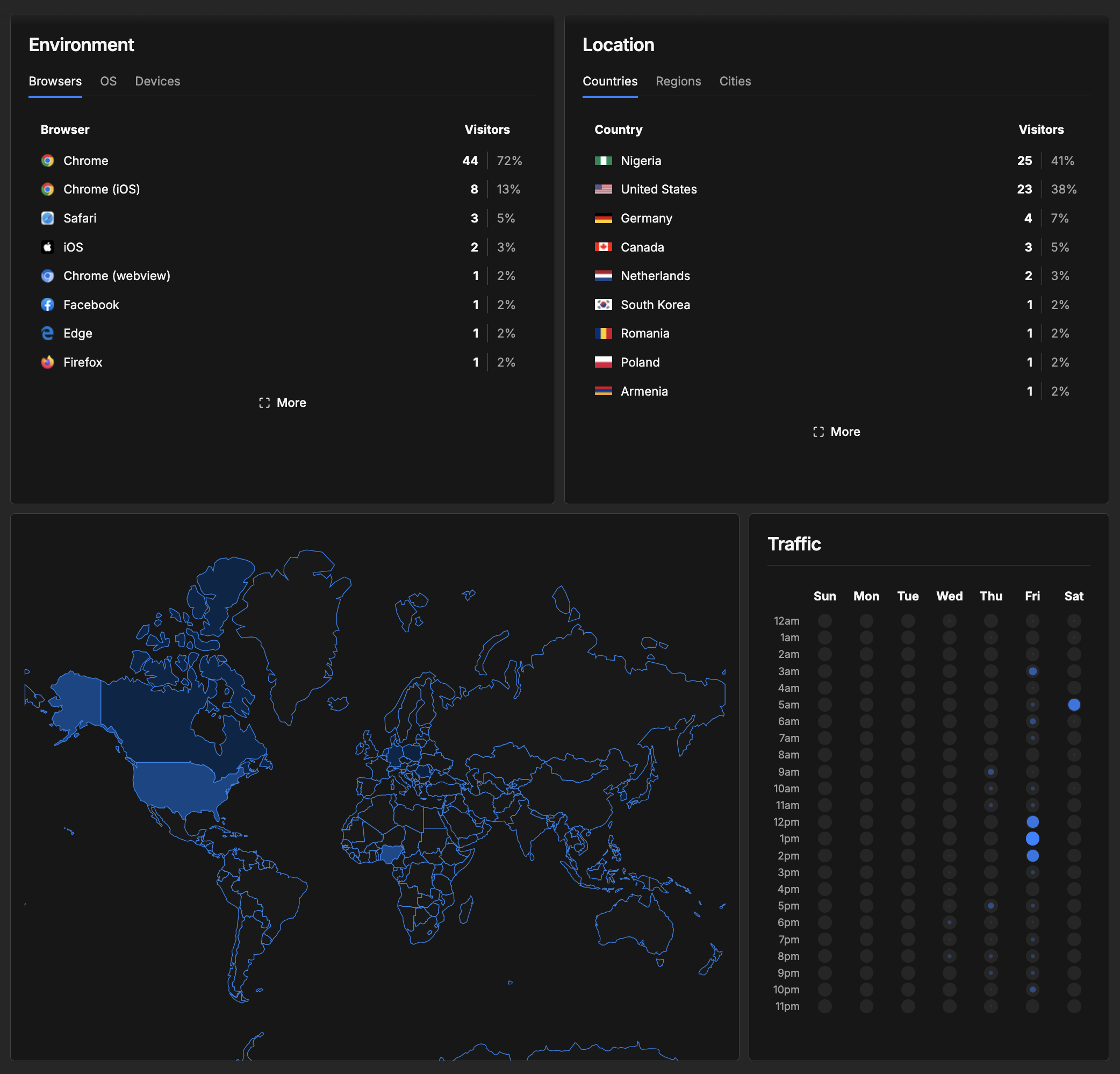
Referrers show where visitors came from, like Google, Twitter, LinkedIn, another website, or direct traffic.
Locations show the countries, regions, or cities visitors came from.
Browsers and devices help you know what people are using to view your site. This is useful for testing because browsers do not always behave the same way. Safari especially likes to keep developers humble.
Best use cases for Umami
Umami is great for small to medium websites where you want simple analytics without too much noise.
It works well for:
Personal websites
Blogs
Portfolios
Landing pages
Documentation sites
Small SaaS products
Open source project pages
Content websites
It is especially useful when you care about privacy-friendly analytics, simple dashboards, and quick setup.
It is also a good fit when you want to track basic actions like:
Contact button clicks
Resume downloads
Newsletter signup clicks
Search button clicks
Share button clicks
Project link clicks
Pricing page visits
Basically, it helps you answer: “Are people using the important parts of this site?”
Where Umami may not be enough
Umami is simple, and that is the point.
But if you need very advanced analytics, it may not be enough on its own.
For example, Google Analytics or other heavier tools may be better if you need:
Advanced marketing reports
Ads tracking
Complex conversion funnels
Ecommerce analytics
Audience segmentation
Deep campaign tracking
Integration with ad platforms
What to track
The best approach is to track only what helps you make decisions.
For example:
contact_button_clicked
resume_download_clicked
newsletter_signup_clicked
project_link_clicked
search_button_clicked
share_button_clicked
These events are useful because they connect to real actions.
If people click your contact button, that matters.
If people download your resume, that matters.
If people use search, that means search is useful.
But something like this is probably too much:
user_hovered_over_card_for_2_seconds
At that point, please rest.
Final thoughts
Umami is a good analytics tool when you want something simple, clean, and useful.
It tells you how people use your website without overwhelming you with too many reports.
For smaller websites, it is often enough. You can see traffic, popular pages, visitor locations, browsers, referrers, and custom events without needing to become an analytics expert.
Google Analytics still makes sense for bigger marketing needs, ads, ecommerce, and deeper reporting.
But for many websites, Umami does the job nicely.
Add the script.
Track the important actions.
Check the dashboard.
Improve what needs improving.
Simple.